Voice Logging
GETTING STARTED
THE BASICS
Talk naturally while you’re fishing, or right after. WaterWatcher listens for catches, sightings, and conditions — no forms, no menus.
To log your first event:
- 1.Tap Start Trip on the Dashboard.
- 2.On your trip page, tap + to add an event.
- 3.Tap the mic icon and talk.
Your trip starts at your Home Water, or where you are now if you haven’t set one. Fishing somewhere else? Tap Change next to “Starting at…” first.
GOOD PHRASING EXAMPLES
Example 1
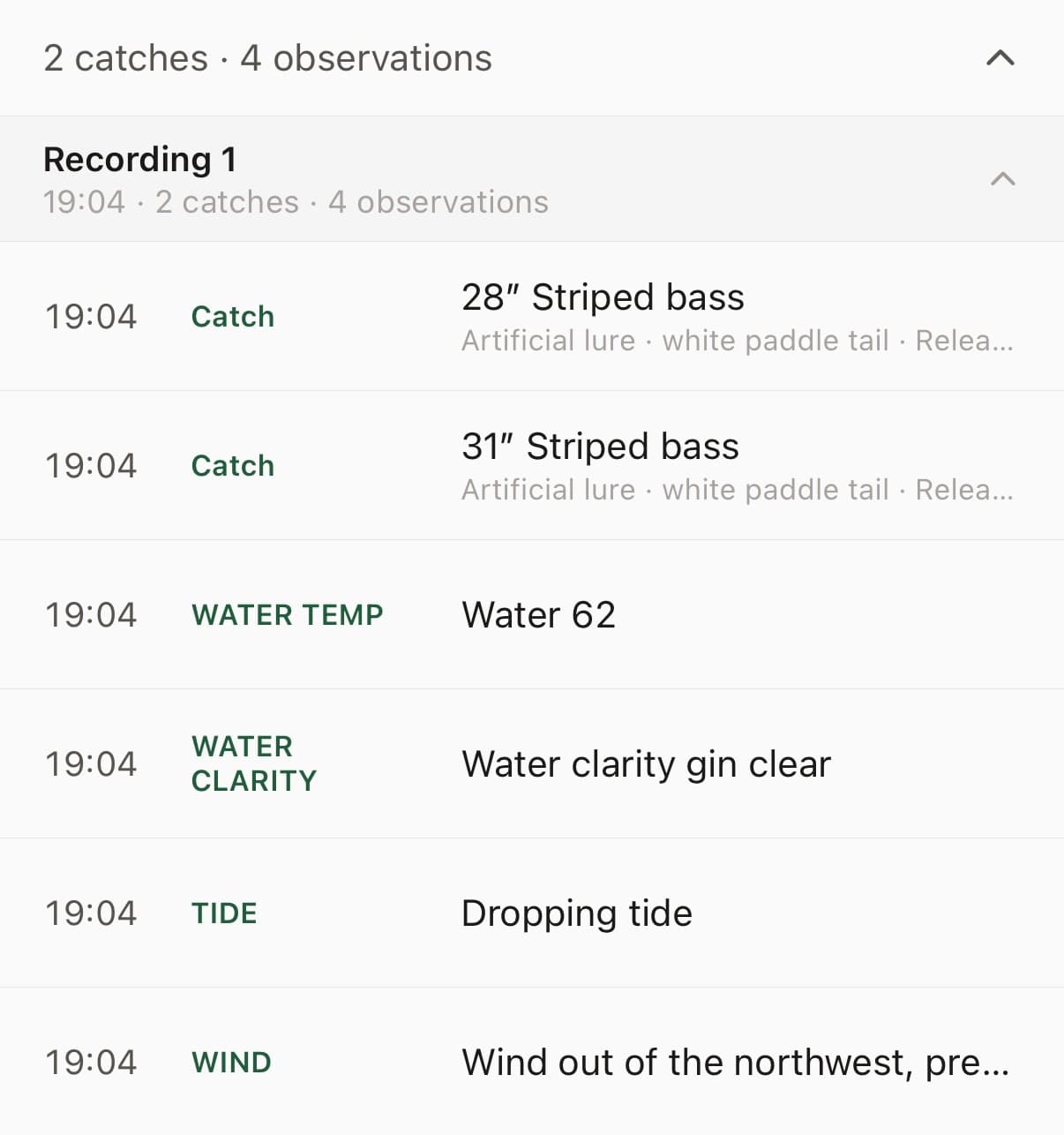
“Working a white paddletail along the edge of the marsh on the dropping tide. Water’s 62 degrees and clarity is gin clear today. Landed a 28” striper and released it. Then another one a few minutes later at 31”, also released. Wind out of the northwest, pretty light.”
WaterWatcher turns that into a structured log:
Example 2
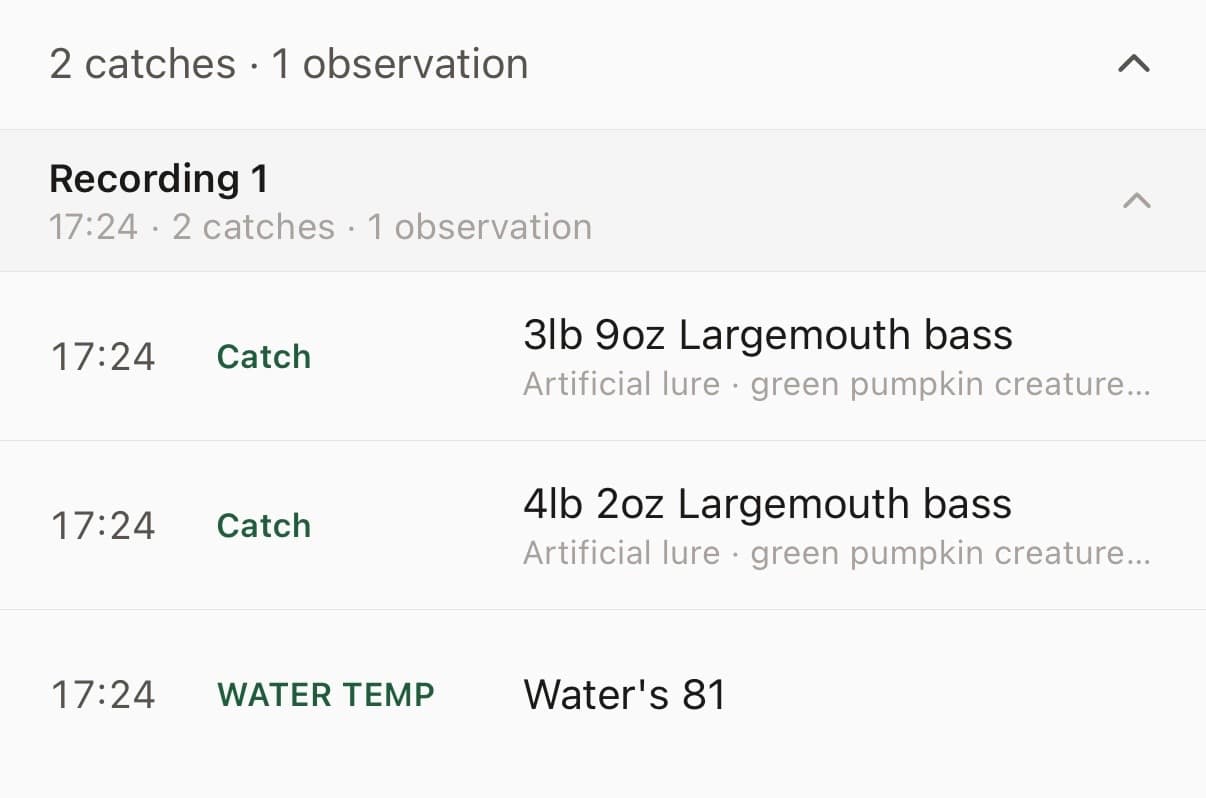
“Throwing a Texas rig with a green pumpkin creature bait around bushes in about 4 feet. Water’s 81. Just boated a largemouth, 3 lb 9 oz. Got another one 20 minutes later at 4-2, same bait.”
WaterWatcher turns that into a structured log:
Example 3
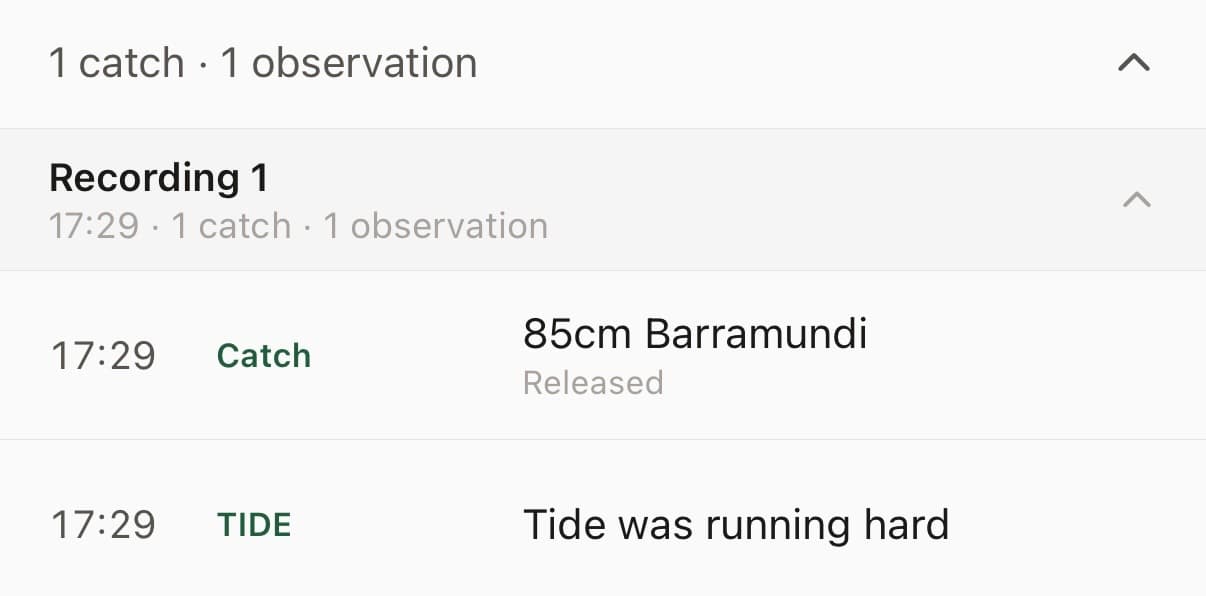
“Went out for barra at first light, nothing till about 8, then hooked into a solid one off the rock bar, 85 cm. Released it. Tide was running hard.”
WaterWatcher turns that into a structured log:
Example 4
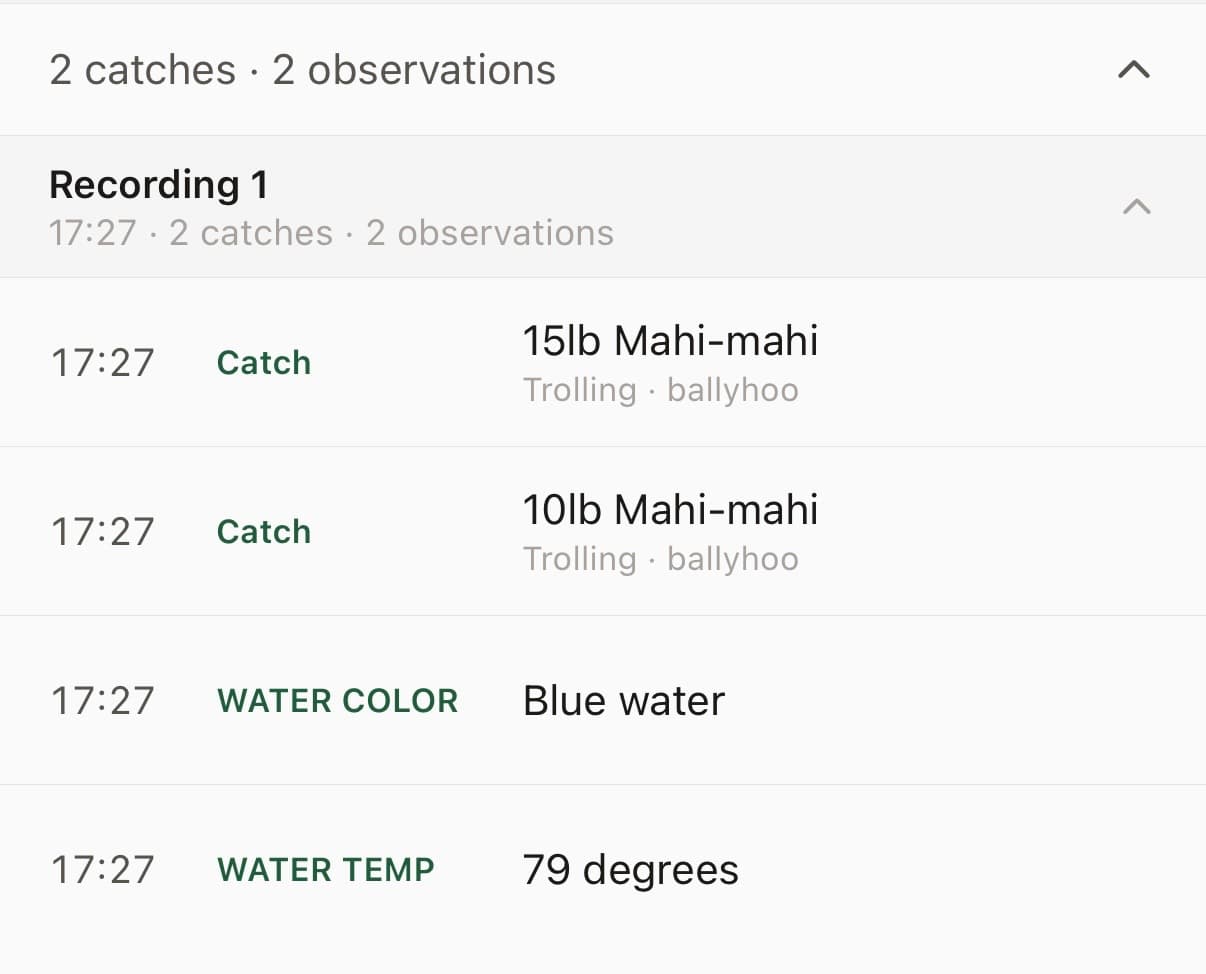
“Trolling ballyhoo along the weedline, blue water, 79 degrees. 2 mahi, one about 15 lb and one around 10 lb.”
WaterWatcher turns that into a structured log:
Example 5
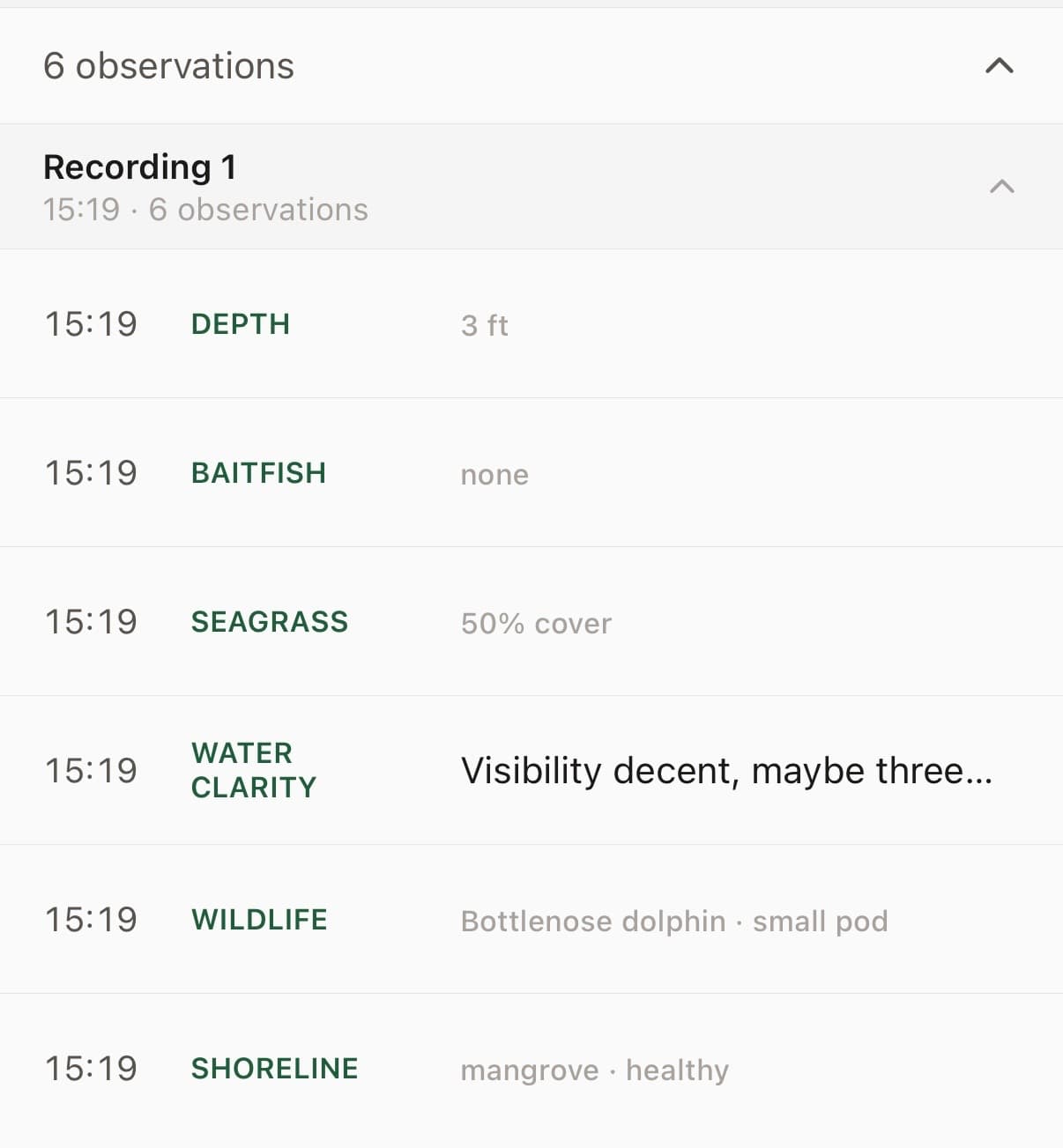
“It’s about 3 ft deep here. No signs of bait so far but there’s a lot of seagrass, covering about half of the bottom. Visibility is decent, maybe 3 or 4 ft. Saw a small pod of dolphin push through here 15 minutes ago. Mangrove shoreline looks healthy.”
WaterWatcher turns that into a structured log:
Example 6
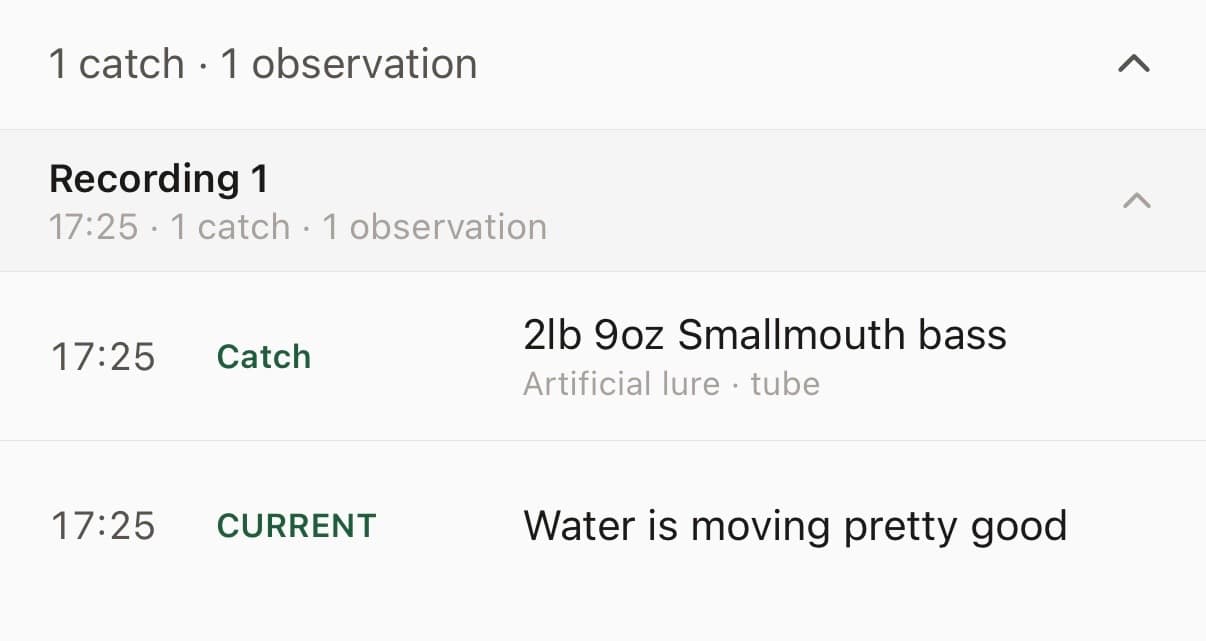
“Wading and casting a tube to the current seams, water’s moving pretty good. Caught a smallmouth, 2 lb 9 oz.”
WaterWatcher turns that into a structured log:
Example 7
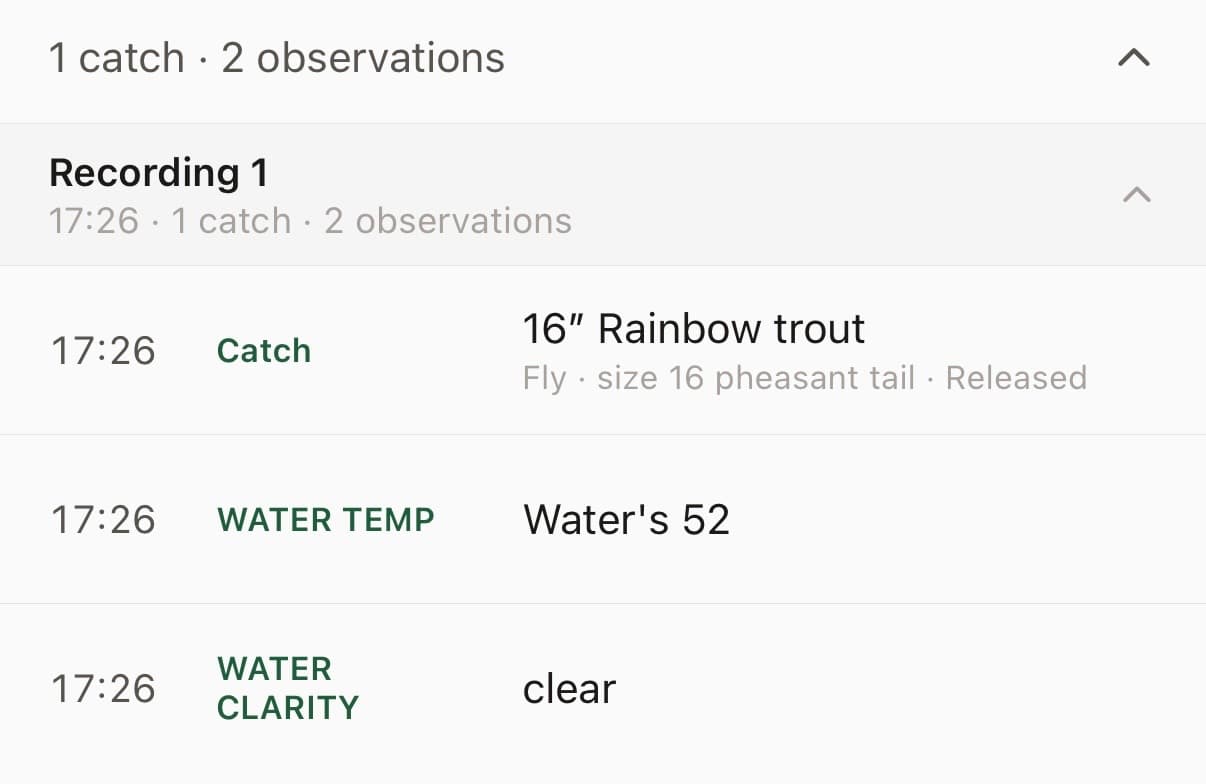
“Size 16 pheasant tail under an indicator. Water’s 52 and clear. Landed a rainbow, about 16”, and let it go.”
WaterWatcher turns that into a structured log:
LOG IT YOUR WAY
LOG ANYTIME — EVEN AFTER YOU’RE HOME
You don’t have to log in real time. Tell WaterWatcher when it actually happened — “Fished from 7 to 9 this morning” — and it pulls the real conditions for that window, not just right now.
If the times come through off, you can correct them from the trip detail — see Date & Time Correction in How-To.
ONE RECORDING OR MANY
You don’t need to capture everything in a single take. Record as many times as you want during a trip — right after a catch, back at the dock, even in the truck on the way home. Each recording gets folded into the same trip automatically.
Shorter recordings (under 30 seconds) tend to process a little faster, but there’s no real limit — if you’re willing to talk, WaterWatcher is ready to listen.
ADD A PHOTO TO ANY CATCH
After logging a catch, tap into it and add a photo — from your camera or your library. It attaches directly to that entry, so your trip review shows the fish alongside the details you logged.
GET THE BEST RESULTS
WHAT GETS CAPTURED VS. IGNORED
WaterWatcher pulls out species, size, method, location, and conditions when you mention them — everything else in your recording is just background. You don’t need to structure your sentence a certain way; say it how you’d say it to a friend.
COMMON MISTAKES
- ·Trailing off mid-sentence, or pausing for a long stretch before finishing a thought
- ·Talking about something unrelated mid-recording (a phone call, a conversation with someone else on the boat)
- ·Speaking too fast or too quietly for the details to come through clearly
EDITING AFTER THE FACT
If something comes through wrong — a size gets misheard, a species name gets garbled — tap into the entry and correct it directly. Nothing is locked in once it’s logged.